
Forex Trading Tutorials for South African Traders
📈 Learn practical forex trading tutorials tailored for South African traders! Master key concepts, strategies, and risk management for better trades.
Edited By
Amelia Reed
Forex trading apps have reshaped the way South Africans engage with foreign exchange markets. Today, mobile platforms put the power of buying and selling currencies right in your pocket, making trading more accessible than ever. For newcomers, these apps offer a straightforward entry point without the need for complex desktop setups.
Why do forex trading apps matter for beginners? Simply put, they simplify the trading process. Instead of navigating clunky websites or costly software, you can track price movements, execute trades, and check your portfolio on the go. This instant access becomes especially handy during volatile market conditions, common in global forex influenced by geopolitical events or changes in key interest rates.
However, not all apps are cut from the same cloth. For example, some might offer real-time data feeds and comprehensive charting tools, while others focus on ease of use without overwhelming features. As a new trader, pinpointing which functions matter most can save you from costly mistakes early on.
When choosing a forex trading app, look for reliability, clear fee structures, and user-friendly navigation combined with robust security. These factors greatly protect your investment and ensure smooth trading.
Let's consider some practical points when evaluating forex apps:
Regulation and Licensing: In South Africa, trustworthy apps are usually regulated by the Financial Sector Conduct Authority (FSCA). Check if the platform complies.
Currency Pairs Offered: Some apps offer a narrow range of pairs, others up to 100+. If you're interested in pairs outside of major currencies, confirm availability.
Demo Accounts: Good beginner apps provide demo modes for practising without risking real money.
Deposit and Withdrawal Methods: Convenient options, such as EFT or EFT with local banks like FNB or Standard Bank, simplify cash flow.
Educational Resources: Integrated tutorials and market news are a big plus for novice traders.
Bear in mind that while mobile apps offer flexibility and speed, successful forex trading requires discipline and risk management. Make sure your chosen app supports setting stop-loss orders, alerts, and position sizing to help protect your capital.
In summary, selecting the right forex trading app means balancing functionality with simplicity and local currency access. Whether you use MetaTrader 4, Plus500, or newer South African-centric apps, understand what fits your trading style and goals before diving in.
Trading forex involves buying and selling different currencies with the goal of making a profit from changes in exchange rates. It's a market that runs 24/5, which means opportunities pop up any time during the weekdays. Unlike buying shares on the JSE, forex trading is about currency pairs – such as the US dollar against the rand (USD/ZAR) – and the rates between these pairs fluctuate constantly.
Forex trading isn’t just for banks or hedge funds anymore; it’s accessible to anyone with an internet connection and the right tools.
This is where mobile apps come in. They’ve reshaped forex trading by putting markets in your pocket. Instead of being stuck in front of a desktop or relying solely on brokers, you can track exchange rates, execute trades, and monitor your investments on the go.
Simply put, forex trading is the exchange of one currency for another, hoping the value changes in your favour. For example, if you expect the rand to weaken against the US dollar, you would buy USD/ZAR. If the rand does indeed drop, your position becomes more valuable. Dealers trade massive sums, but individual traders can join in with much smaller amounts, typically through retail forex platforms.
But forex isn’t just about guessing which way the market will move. It requires understanding global events, economic indicators, and even political developments – things like interest rate decisions by the South African Reserve Bank (SARB), US Federal Reserve announcements, or geopolitical tensions. Those influence currency strength and volatility.
Mobile forex trading apps have broken down barriers. South African users can now open accounts with local and international brokers, fund their accounts using Rand, and trade instantly with a few taps. Apps like MetaTrader 4 or LocalBrokers South Africa offer real-time quotes and charting tools.
These apps generally include features for setting stop-loss orders, which help limit potential losses during market swings. Plus, they provide notifications for significant market events or price movements. That means you won’t have to sit glued to your screen all day; the app will flag when it’s time to act.
The portability also means more flexibility. For instance, someone in Johannesburg can check market changes during a braai or while commuting, and react quickly when the rand suddenly weakens due to unexpected news.
Still, it’s crucial to choose apps that are transparent about fees, secure your data, and comply with South African regulations. A dodgy app could cost you more than just money.
In summary, understanding what forex trading entails and how mobile apps enhance the experience sets a solid base for any beginner looking to enter this market. The rest of this guide will explore how to identify apps that match your needs and start trading with confidence.
When starting out in forex trading, the right app can make a huge difference. Beginners need tools that not only help trade but also teach the ropes and keep their money safe. Strong features lend confidence, reducing guesswork and simplifying decisions. Let's break down the most vital aspects.
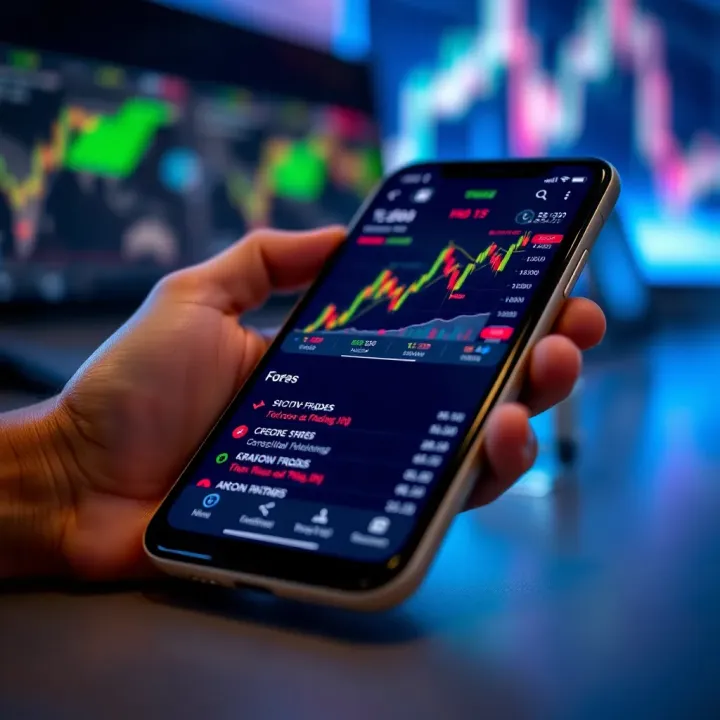
A forex app should be easy to use, even for someone who's never traded before. Look for clear layouts with intuitive menus—no cluttered screens filled with confusing jargon. For example, simpler apps like MetaTrader or IG offer straightforward dashboards where you can quickly spot key information like currency pairs, balances, and open trades. Smooth navigation means less time fumbling and more time making smart trades.
Good market analysis tools are the backbone of any trading app. Beginners especially benefit when the app offers real-time charts, various technical indicators (RSI, MACD, Bollinger Bands), and drawing tools to spot trends and resistance levels. This isn't just about fancy graphics; these features give traders insight into market moves. For instance, a trader watching the USD/ZAR pair can use moving averages to get a feel for momentum before entering a trade.
Getting started with real money can be daunting. That’s why most reputable forex apps provide demo accounts that simulate real trading without risking a cent. This hands-on practice helps beginners build confidence. Also, apps that include educational resources—like short tutorials, webinars, and daily forex news—are a bonus. These help traders understand market mechanics and develop strategies over time.
Practising on a demo account before going live is like taking your car for a spin in an empty parking lot before hitting the busy N1 highway.
Since trading involves money and personal info, strong security is non-negotiable. Look for apps that use two-factor authentication (2FA), data encryption, and have a clear privacy policy. Apps regulated by recognised authorities often have extra safeguards. For South Africans, choosing brokers compliant with the Financial Sector Conduct Authority (FSCA) adds another layer of trust. Without solid security, you could be exposing your funds and details to unnecessary risks.
To wrap up, the best forex trading app for beginners combines ease of use with powerful market tools, hands-on learning spaces, and ironclad security. With these features, South African traders can start on firmer ground and avoid common pitfalls.
Picking the right forex trading app is a key step for South Africans looking to enter the currency markets. Not all apps cater equally to local conditions like exchange controls, costs in Rand, or broker licensing. Choosing carefully can safeguard your capital and smooth out the learning curve.
Trading costs chip away at your profits, so understanding them upfront matters. Most apps charge spreads, the difference between buying and selling prices, and some add commissions per trade. For example, if an app advertises razor-thin spreads, check if they make it up with hefty commissions.
Local South African traders may face extra costs if their Rand deposits convert at unfavourable rates. Some platforms charge inactivity fees or withdrawal charges, so keep an eye out. To avoid surprises, compare overall costs across a few brokers before settling on an app.
South African financial authorities like the Financial Sector Conduct Authority (FSCA) regulate financial service providers. When selecting a trading app, confirm the linked broker is FSCA licensed. This offers protection, ensuring the broker complies with rules around client fund safety and fair treatment.
Using an unlicensed platform risks losing your investment without recourse. Some international brokers serve South Africans but without FSCA oversight, so trust and safety become concerns. Apps partnered with FSCA-regulated brokers usually update their policies to align with South African laws.
Flexibility in funding your trading account is another big consideration. The ideal app should accept payments in Rand and offer convenient local deposit methods such as EFT (electronic funds transfer) or card payments. This avoids costly currency conversions and delays.
South African traders often prefer apps supporting payments via local banks like FNB, Absa, or Capitec. Some platforms even integrate with SnapScan or Zapper. Withdrawal options are equally crucial — getting your money paid out promptly not only keeps cash flowing but builds trust.
When a forex app suits South African traders’ needs — from costs to payment options — it sets the stage for smarter trades and better control over your investments.
Choosing the right forex trading app means balancing fees, licensing, and payment ease with your trading style and risk appetite. This careful selection helps you avoid headaches and focus on learning to trade successfully.
For South Africans keen on forex trading, knowing which apps are widely used and trusted locally can save time and prevent unnecessary frustration. The right app makes it easier to follow market moves, manage your trades efficiently, and stay secure without fuss. It’s not just about convenience — it’s about having tools that suit the local market’s reality around Rand trading, broker rules, and payment options.
Several forex trading apps have gained popularity among South African beginners. MetaTrader 4 (MT4) remains a firm favourite worldwide, including here. It offers a strong range of charting tools, automated trading options through Expert Advisors, and reliable execution speeds. Plus, many local brokers support MT4, making deposit and withdrawal processes smoother.
Another common choice is MetaTrader 5 (MT5), which builds on MT4 with added features like more timeframes, an economic calendar, and extended order types. Local brokers are increasingly offering MT5 as they upgrade services.
IG Trading is a desktop and mobile platform well known for its regulation by the Financial Sector Conduct Authority (FSCA) in South Africa. It provides easy access to forex and other markets with useful educational content and news updates.
Meanwhile, Plus500 appeals with its simple interface and fixed spreads. It also supports Rand accounts, a major plus for local traders wanting to avoid currency conversion fees.
Lastly, newer apps like Pepperstone offer tight spreads and direct access to liquidity, popular among more active traders in South Africa.
MetaTrader 4 (MT4)
Pros: Highly customisable, wide broker support, extensive technical analysis tools.
Cons: Interface can feel outdated; lacks some newer features available in MT5.
MetaTrader 5 (MT5)
Pros: More advanced tools, economic calendar, faster trade execution.
Cons: Slight learning curve for beginners; fewer brokers currently using it locally.
IG Trading
Pros: Regulated in South Africa, supports Rand accounts, strong education centre.
Cons: Higher minimum deposits compared to some competitors.
Plus500
Pros: User-friendly for newbies, Rand accounts available, transparent fees.
Cons: Limited charting tools; no support for automated trading.
Pepperstone
Pros: Competitive spreads, solid execution, variety of account types.
Cons: Mostly suited for more experienced traders; demo account periods are limited.
Choose an app not just based on features, but how it fits with your trading style, level, and budget. Look out for local support, Rand account options, and FSCA regulation to navigate safely.
Knowing these options helps you avoid getting stuck with a platform that’s either too complex or too basic. Your chosen app should empower you to trade confidently with tools that match the local market's pulse. Be sure to test multiple apps with their demo accounts before committing your Rands.
When starting out with forex trading on mobile apps, managing risks is just as important as understanding how the market moves. Beginners often jump in without a proper plan, which can lead to unnecessary losses. This section outlines practical steps to help traders start small, use key risk controls, and stay informed—all crucial for protecting your Rand and confidence while you learn the ropes.
Starting small is essential in forex trading, especially on mobile platforms where it’s tempting to overtrade. Many apps offer demo accounts that let you practise trading with virtual money before risking your own cash. This hands-on experience helps you get a feel for order placement, price charts, and trade execution without financial pressure. For instance, you could simulate trades of R100 to R500 at first to understand how volatility impacts your positions.
By using demo modes, you avoid the trap of emotional decisions often triggered by real money losses. It’s like practising your driving in a quiet parking lot before hitting the busy N1 highway. Once you feel comfortable, you can start with small amounts in your live account—think R200 to R500 per trade initially—and gradually increase as your confidence and skills improve.
A practical way to protect your investment is by setting stop-loss and take-profit levels on every trade. A stop-loss automatically closes your position if the price moves against you by a certain margin, limiting potential loss. Conversely, a take-profit locks in gains once a target price is reached. These tools prevent you from staring at your phone all day or holding losing trades hoping for a turnaround.
For example, if you buy EUR/ZAR at R18.50, you might set a stop-loss at R18.20 (limiting your loss to 30c per unit) and a take-profit at R18.80 (locking profits at 30c per unit). These pre-set limits help you stick to your trading plan and avoid emotional choices, especially during sudden market swings brought on by factors like Eskom announcements or global events.
Using stop-losses and take-profits is like setting your brake and indicators when driving: they keep you safe and help you navigate smoothly.
Forex markets react quickly to news and economic data, so staying informed is crucial. Most trading apps integrate live news feeds, economic calendars, and price alerts. These features keep you in the loop about key events such as SARB interest rate decisions, US Federal Reserve announcements, or geopolitical developments affecting the Rand.
By regularly checking these updates, you can adjust your trading strategy or avoid opening new positions before volatile events. For instance, if you know that loadshedding disruptions or mining strikes might impact the Rand, you can be more cautious or exit trades early. Staying connected means you're never caught off guard, which can make a big difference to your results.
Starting with small stakes, using demo options, applying stop-loss and take-profit orders, and keeping up with market news are the bedrock strategies for anyone using mobile forex trading apps. They help you build skills steadily while managing the risks that come with forex’s high volatility. Taking these steps seriously makes forex trading a much less daunting task and puts you in control of your financial journey.
📈 Learn practical forex trading tutorials tailored for South African traders! Master key concepts, strategies, and risk management for better trades.
Discover how to pick the perfect forex trading app in South Africa 🇿🇦. Compare platforms, features, and regulations to suit your trading style and goals 📱💹.
Learn how forex trading signals 📉 guide South African traders with timely market insights, trade ideas, and tips for choosing reliable providers wisely.
Explore top forex trading software in South Africa 📈: features, automation, risk management & tips to pick the best tools for smarter trading decisions.
Based on 14 reviews