

Free Forex Trading in South Africa: A Practical Guide
Discover how to start free forex trading in South Africa 🚀. Explore platforms, strategies, regulations, and risks to trade smart without upfront costs.
Edited By
Thomas Harding
Forex trading can be a tricky business, especially when you're starting out and want to keep costs low. One way South African traders often cut expenses is by using free forex trading software. These tools can give you access to the markets, charting features, and sometimes even advanced analytics without asking for a single rand upfront.
This article aims to walk you through the nuts and bolts of free forex trading software — what they offer, where they shine, and where you might hit a snag. Whether you're a beginner or a seasoned trader looking to try out new platforms without breaking the bank, you'll find practical tips and insight here to decide which software fits your style and goals.
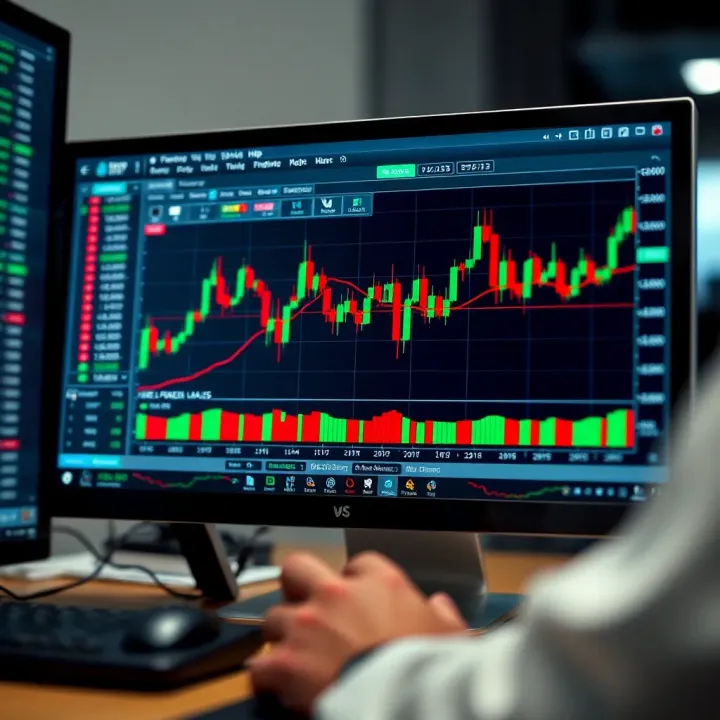
We'll cover everything from the essential features to watch for, real examples of popular free software in South Africa, and safety measures to keep your trading secure. By the time you're done reading, you'll have a clear roadmap to navigate the options out there and make smarter choices without paying extra fees.
Choosing the right tools can be half the battle won, so understanding your software options is key to a better trading experience.
Let's get started and see what free forex trading software in 2024 has on offer for you.
Forex trading software is the backbone of any trader's operation. Understanding what these tools do helps traders in South Africa make smarter decisions about which platform suits their trading style and needs. The software isn’t just about placing trades; it provides the essential tools to analyze the market, manage orders efficiently, and stay updated with live prices.
Using forex trading software effectively means you can access crucial data and execute trades faster than manually tracking currency pairs. Think of it as your trading cockpit, where every gauge, chart, and button is geared towards making timely and informed decisions. Without this understanding, traders risk missing opportunities or making costly errors.
At the heart of every good forex platform is its charting and technical analysis capabilities. Essentially, this means the software lets you visualize historical price movements through charts and apply technical indicators like Moving Averages or RSI. These tools help predict future price trends, which is vital for timing trades right.
For example, a South African trader noticing a double bottom pattern on the chart might decide it's a signal to buy, anticipating a price rise. Without solid charting tools, spotting these patterns would be more of a guesswork, which increases risk.
The market moves fast, and having up-to-the-second price data is crucial. Real-time price feeds mean you see the current price of currency pairs as trades happen globally, not with any lag. This immediacy lets traders react when news breaks or sudden market changes occur.
Imagine seeing the South African rand weakening against the US dollar after a surprise interest rate announcement. Real-time updates empower you to close or open positions to minimize losses or seize profits.
A platform’s order execution features determine how quickly and reliably your trades are placed. Whether it’s a market order, limit order, or stop loss, robust execution ensures your trades happen at the prices you expect.
Slow or unreliable execution can lead to slippage, where your order fills at a worse price than intended. This is especially critical for fast traders who need precision. Reliable software minimizes these issues, helping protect your capital.
Free forex software often comes with restricted abilities compared to paid versions. You might find fewer technical indicators, limited charting styles, or restricted access to certain currency pairs. While this isn’t a dealbreaker for beginners, experienced traders might feel constrained.
For instance, MetaTrader 4 free version provides many useful tools, but the paid MetaTrader 5 offers more advanced analytics and more currency pairs. It's about knowing what features truly affect your strategy and whether free software covers them.
Paid software generally offers dedicated customer support and frequent updates to improve performance or fix bugs. Free versions may lack timely assistance, relying on community forums or delayed updates. This can pose a challenge if your software runs into problems or compatibility issues.
A South African trader relying on a free platform might experience downtime during volatile market hours with limited immediate help. Paid services often guarantee faster problem resolution.
Paid software usually invests more in designing intuitive interfaces that make navigating complex tools easier. Free software can sometimes feel clunky or less polished, which might slow you down, especially during fast-market moves.
Ease of use matters — if you spend too much time figuring out where functions are, you lose valuable trading moments. Choosing software with a smooth, user-friendly experience can enhance both confidence and efficiency.
In short, knowing what your forex trading software does and understanding the trade-offs between free and paid versions is fundamental. It shapes your ability to read the market, act quickly, and manage trades effectively, all crucial for succeeding in the fast-paced forex environment.
Choosing the right trading software can make or break your experience in forex trading, especially when it’s free and easy to get started. Many traders in South Africa lean on popular free platforms to tap into the market without upfront costs. These platforms not only provide the basic tools but often come packed with features that meet both beginner and experienced traders’ needs.
Getting familiar with popular options helps you avoid the hassle of trying out multiple programs that may turn out to be clunky or limited. It’s about finding software that offers reliable charting, smooth order execution, and useful technical indicators without hidden charges or tricky setups.
MetaTrader 4 (MT4) and MetaTrader 5 (MT5) are among the most widely used forex trading platforms globally, and for good reason. MT4 offers a straightforward user interface and essential tools perfect for technical analysis, including multiple chart types, an array of indicators, and expert advisors (EAs) for automated trading. MT5 builds on this, adding features like more timeframes, improved backtesting, and additional market assets like stocks and futures.
For South African traders, these platforms provide a familiar and well-tested environment, where you can execute trades in real time and manage your portfolio efficiently. Both platforms allow customization, so you can tailor the interface and tools to your preferred trading style.
One of the standout benefits of MT4 and MT5 is their massive user community. There’s a wealth of free resources available — forums, tutorials, custom indicators, and third-party expert advisors created by users worldwide. This means if you hit a snag, chances are someone else has already dealt with it and shared the fix.
In addition, many South African brokers support MT4/MT5 directly, which ensures reliable access, local payment options, and sometimes localized support. This strong network makes getting help and learning quicker and less frustrating.
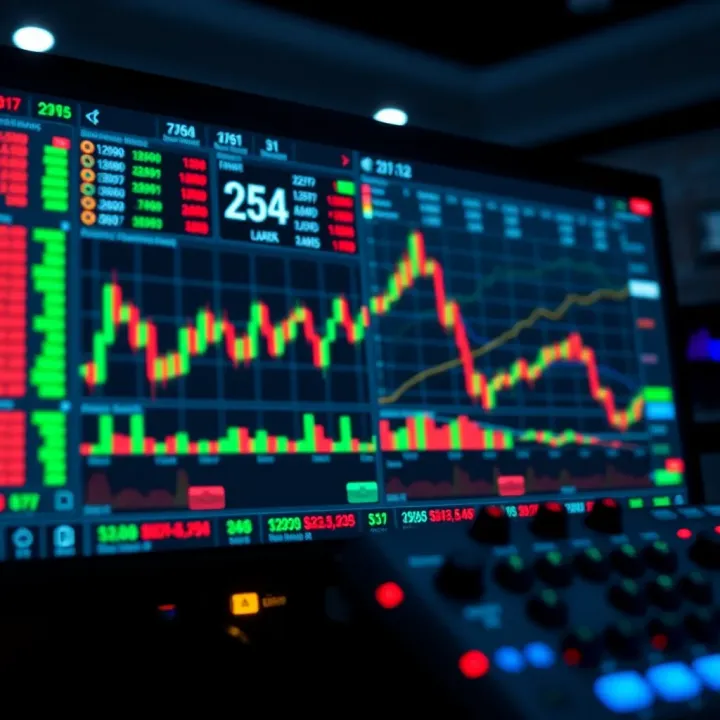
cTrader positions itself as a modern alternative to MetaTrader platforms, catering to traders who want more transparency and speed. It boasts intuitive features like level II pricing for better insight into market depth and a built-in social trading network where you can follow and copy strategies from seasoned traders.
One handy perk is cTrader’s automated trading capabilities built right into the platform. Unlike MetaTrader, which relies on separate coding for bots, cTrader incorporates cAlgo, making strategy creation and tweaking simpler, especially for coders and systematic traders.
Despite its advanced capabilities, cTrader keeps its interface clean and easy to navigate, which is great for traders who might find MT4’s design a bit dated. The drag-and-drop charting and fast order execution options make it a joy to use, even on lower-spec machines. Plus, the platform supports desktop, web, and mobile versions seamlessly, so you can stay connected to the market wherever you are.
Though not a traditional trading platform, TradingView deserves mention for its top-notch charting and community-driven features. It offers free access to extensive technical analysis tools and markets beyond forex like stocks and cryptocurrencies. For South African traders, it’s a superb place to research, share trading ideas, and develop strategies.
The cloud-based nature means there’s no bulky software to install, and you can use TradingView directly from your browser or mobile device. While you can’t execute trades through TradingView itself, many brokers integrate with it, allowing a smooth bridge between analysis and execution.
NinjaTrader offers a solid free version that's attractive for traders focusing on futures and forex. It provides advanced charting and order management tools, which are a step up compared with basic free platforms. Importantly, NinjaTrader's free version lets you practice with simulated data, a great advantage for honing your skills before risking real money.
The platform supports custom indicators and automated trading strategies, but some features require a paid upgrade. Still, many South African traders find the free version more than enough for daily trading and strategy testing.
When picking free forex trading software, your best bet is to focus on the tools that match your trading approach and the kind of support you expect. These platforms prove that you don’t always need to pay to get pretty good trading software that can help you sharpen your edge in the markets.
Selecting the right forex trading software is more than just ticking boxes on a features list; it's about matching your toolset to the way you trade and what you expect from the software. In South Africa's dynamic trading scene, picking the wrong platform can slow you down or even cost you, so understanding your own trading style and requirements is key. This section breaks down what you need to consider to make an informed choice that fits your unique trading habits and technical setup.
Your approach to trading heavily influences the type of software you'll find most useful. Day traders need a platform that offers speedy order execution, real-time analytics, and robust charting tools since they place multiple trades in a single day, often relying on tiny price movements. For instance, MetaTrader 5 works well with its quick order execution and multiple chart windows.
On the other hand, long-term investors prioritize software that provides comprehensive fundamental data, reliable historical price charts, and perhaps portfolio management features. They aren’t stuck to their computers all day and prefer tools that can alert them to significant market changes without constant monitoring. In this case, platforms like TradingView, which offers extensive historical data and customizable alerts, may better serve their needs.
Choosing software without considering your trading style is like buying hiking boots for a swim – they just won’t suit the conditions.
Automation is no longer just for hard-core tech traders; many free forex platforms now integrate algorithmic trading features useful for both novices and pros. If you’re keen on automating your trades or employing custom indicators, you’ll want software that supports expert advisors (EAs) or algorithmic scripts.
MetaTrader 4, for example, is famous for its EA support, letting traders write or use existing automated strategies easily. However, if coding isn’t your cup of tea, platforms like cTrader offer simpler drag-and-drop automation which might fit your style better.
The key here is to assess how much you want the software to take off your plate. Are you looking to program your own trading robots, or just want a helping hand with alerts and signals? Understanding this will narrow down your choices significantly.
Forex software varies in terms of the operating systems they support. Some are built exclusively for Windows, others have versions for macOS or Linux, and many now offer web-based platforms that run in browsers regardless of your OS.
If you’re running Linux or macOS, your options might be a bit more limited since popular software like MetaTrader 4 doesn’t offer a native Mac version, requiring workarounds like Wine or running Windows virtually. In this case, web-based platforms like TradingView or broker-specific platforms might save you the fuss.
Understanding your device setup beforehand will prevent compatibility headaches and ensure smooth, uninterrupted trading.
In South Africa, where internet access can be spotty depending on location, deciding between a mobile or desktop platform is crucial. Desktop applications offer more powerful tools, better charting capabilities, and typically greater speed, but they tie you to one location.
Mobile apps, meanwhile, give you flexibility but sometimes at the expense of advanced features. MetaTrader and cTrader both have robust mobile versions, delivering a good balance of essential tools for on-the-go trading. However, if your trading involves intricate analysis or complicated automation, sticking to the desktop might be wiser.
Balancing your need for mobility against the necessity of comprehensive tools should guide your software choice here.
Remember: the best forex trading software isn’t just about what’s popular or feature-packed. It’s about what fits your trading routine, tech setup, and long-term trading goals, making your trading experience smoother and more effective.
Downloading and installing forex trading software sounds straightforward, but skipping some key safety steps can cost you dearly. Whether you’re a newbie or a seasoned trader in South Africa, taking precautions ensures your computer stays secure and your personal data intact. Using software from dodgy sources can open the door to malware, scams, and poor performance. Plus, installing the wrong version or corrupted files can wreck your trading experience.
Carefully following the right steps minimizes these risks and leads to smoother trading sessions without surprises. Let’s break down exactly how to keep your downloads clean and your installation process hassle-free.
Going straight to the horse’s mouth means downloading forex software directly from the developer’s official website. For example, getting MetaTrader 4 or 5 from MetaQuotes’ site ensures you’re getting the authentic, latest version without any sneaky bundled software. Official sites usually offer the cleanest versions with necessary updates, reducing bugs and security flaws.
Also, they often provide straightforward instructions on system requirements and installation tips tailored for your operating system. In contrast, third-party websites might offer outdated or altered software versions, increasing security risks.
Many well-known brokers in South Africa, like IG or ForexTime, openly provide their clients with trading software links, often including free licenses for platforms like cTrader or NinjaTrader. Downloading through these trusted broker partners means the software is vetted and compatible with their trading environments.
This approach also often bundles support if issues arise during installation or use. For instance, brokers may assist with troubleshooting any hiccups or offer updated versions aligned with their server settings. It’s a safer bet than random downloads and can simplify your setup process.
Before hitting the download button, peek into what other traders say. User reviews and feedback from forums like Forex Factory or Trustpilot highlight common problems or praises that can guide your choice. If lots of users report hidden fees, malware warnings, or performance issues, steer clear.
Positive reviews about smooth installation and no suspicious behavior add confidence. Remember, even popular software can have shady offshoots circulating—reading up avoids falling into that trap.
After downloading, double-check the software’s digital signature or checksum. Authentic software vendors provide these to confirm the file’s integrity hasn’t been compromised. Many guides show how to do this on Windows or macOS; it’s a simple but crucial step to avoid corrupted or tampered software.
Additionally, keep your antivirus updated and scan downloaded files before running them. Windows Defender or Bitdefender often catch malware hidden in fake installers. Combining these practices builds a protective shield around your valuable trading setup.
Always remember: a secure download today prevents headaches tomorrow. It’s not just about getting the software; it’s about protecting your data and trading future.
Taking these steps seriously helps South African traders run forex software safely, combining convenience, peace of mind, and better trading outcomes.
Using free forex trading software effectively can make a big difference in your trading success. Many traders jump straight into the markets without taking full advantage of the tools available, but the smart ones give themselves a leg up by exploring every feature and option their software offers. This section focuses on practical ways to get the most out of free platforms so you don’t just trade—you trade well.
One of the best perks of free forex trading software is the availability of demo accounts. These simulated environments let you trade with virtual money, meaning you can explore how the market behaves without worrying about losing real cash. Think of it as a flight simulator for traders: you get to test steering through volatility without crashing your finances. For someone new to forex in South Africa, this hands-on practice is crucial. It helps you build confidence and understand how orders are placed, spreads work, and different currencies move in real time.
Demo accounts are also ideal for trying out various trading strategies before you put real money on the line. Whether it’s scalping, swing trading, or longer-term plays, you can observe what works best without financial pressure. For example, if you’re curious about using moving averages combined with RSI indicators to time entries and exits, the demo account is your playground. This trial-and-error helps refine your approach and avoids common costly mistakes when you switch to a live account.
Free forex software often comes packed with a range of built-in technical indicators and charting options. These tools give you the edge by helping spot trends, reversals, and momentum shifts. Popular indicators like Bollinger Bands, MACD, and Fibonacci retracement levels are usually included. Using these properly means you’re not just guessing but making trades based on solid patterns and data. For instance, identifying a currency pair nearing an oversold state on RSI combined with a price bounce near a Fibonacci level can signal a buying opportunity.
Another underused feature is automated alerts. These notify you when certain market conditions are met, such as price hitting a target or crossing a moving average. Setting up alerts saves you from staring at the screen all day and ensures you don’t miss important moves. Suppose you want to know as soon as the USD/ZAR exchange rate breaks above a resistance level; an alert can ping you instantly so you can act fast. This keeps you responsive and ready, especially helpful for busy traders who can’t monitor the market minute to minute.
Successful forex trading isn’t just about picking the right currency pair but about how well you use the tools on hand. Demo accounts and analytical features are your best friends early on, helping you sharpen your skills and trade smarter.
By fully leveraging demo accounts and built-in analytical tools, traders can drastically improve their learning curve and trading efficiency—even without paying a cent for software. So spend time exploring these functions before diving into live trading, and you’ll thank yourself down the road.
While free forex trading software can offer a great entry point for traders, it’s important to understand their limitations and the risks involved. This knowledge helps traders make informed decisions and avoid surprises that could affect their trading performance or security.
Most free forex software comes with a basic set of tools that might not meet all trading needs. For instance, you might find limited access to advanced charting options or automated trading capabilities. Unlike paid platforms such as MetaTrader 5 or cTrader’s premium versions, free software often restricts the types of indicators or technical analysis tools available. This can hinder traders trying to execute more complex strategies like arbitrage or hedging.
For example, a trader attempting scalping will find a lack of fast order execution customization in many free apps, which can miss crucial entry or exit points. To make the most of free software, it’s wise to understand these feature gaps and work within them, or combine several tools to cover your needs.
Free forex platforms may also face performance hiccups, especially during major market events when many users log in simultaneously. Unlike paid software backed by dedicated servers, free platforms might suffer from slower data feeds or occasional downtime. This delay, even by fractions of a second, can be significant for day traders or those relying on real-time market reactions.
For instance, a trader in Johannesburg might notice slight lags during high-volatility events like the release of South Africa’s SARB interest rate decisions. These delays can lead to missed trades or inaccurate pricing. Traders should test their chosen software under live conditions to see if the speed is adequate for their style. Regularly saving work and planning for possible outages can reduce frustration.
Unlike premium software offering 24/7 customer service, free forex programs generally rely on online communities or forums for assistance. While these forums can be useful for common issues and tips, they lack the immediacy and reliability of direct support channels.
Imagine needing urgent help with a malfunctioning indicator during market hours—waiting for community responses can cause costly delays. Furthermore, forum advice varies in accuracy and experience level, which sometimes adds confusion rather than clarity.
That said, some popular free platforms like MetaTrader 4 have vibrant user communities where experienced traders and moderators actively help newcomers. Still, it’s prudent to have backup plans, like consulting educational resources or broker support, especially in situations where timing is critical.
Always remember that while free software cuts costs, trading remains risky and dependent on your preparedness to handle technical issues independently.
Understanding these limitations enables South African traders to realistically set expectations and combine free software use with strategies to mitigate risk. Knowing what to expect can prevent costly mistakes and improve trading outcomes.
Discover how to start free forex trading in South Africa 🚀. Explore platforms, strategies, regulations, and risks to trade smart without upfront costs.

Explore top forex trading software in South Africa 📈: features, automation, risk management & tips to pick the best tools for smarter trading decisions.

📈 Learn practical forex trading tutorials tailored for South African traders! Master key concepts, strategies, and risk management for better trades.
Explore free forex trading software options tailored for South African traders 🇿🇦. Learn about features, usability, risks, and support for smarter decisions 📊💻
Based on 5 reviews