
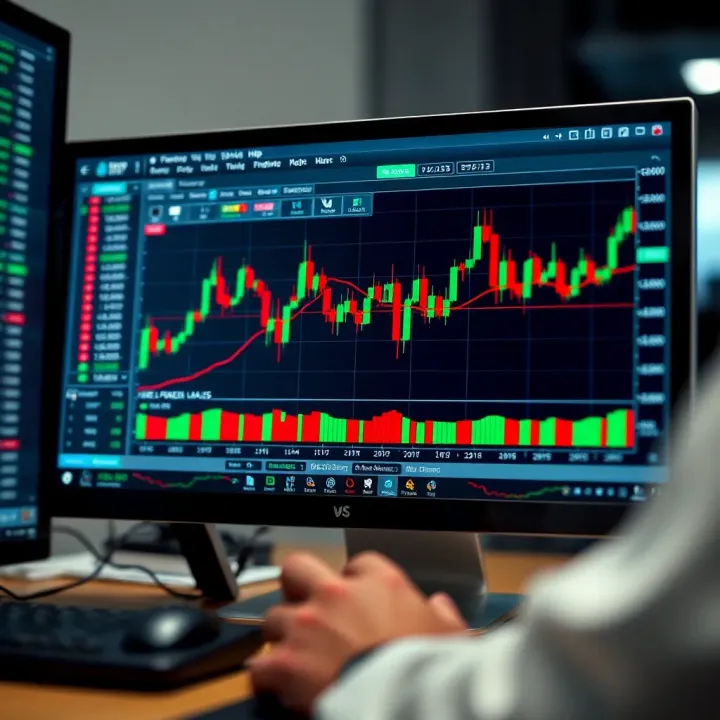
Free Forex Trading Software Guide for South African Traders
Explore top free forex trading software designed for South African traders 📈 Discover features, benefits & safe use tips to boost your trading without extra costs 💡
Edited By
Ethan Walker
Navigating the world of forex trading can be overwhelming, especially when you're hunting for the right tools without breaking the bank. For traders in South Africa, picking the right free forex trading software isn't just about cost—it's about finding reliable, efficient, and easy-to-use platforms that match specific trading styles and needs.
In this article, we'll break down what you should look for in free forex trading software, focusing on key features, usability, and potential pitfalls. We'll also discuss real risks and support options, aiming to help you make informed decisions rather than gambling on guesswork.
Whether you're a seasoned trader wanting to switch to a no-cost option or a beginner feeling your way through the FX market, this guide covers essentials to keep you on the right track.
Choosing the right software isn't just about what looks good—it's about what works for you and your trading strategy.
The aim here is clear: help South African traders cut through the noise and zero in on tools that really pack a punch—without costing a cent.
Getting a good grip on what free forex trading software brings to the table is a must before diving into the trading world. It sets the stage for making smart choices about the tools you'll rely on every day. Without this essential understanding, it’s easy to get overwhelmed by the countless options and features out there.
At its heart, free forex trading software gives traders the basic tools they need to navigate the market. This usually includes real-time price quotes, simple charting capabilities, and basic order execution. Take MetaTrader 4 as an example. Its free version allows users to view live charts and place trades, making it great for entry-level traders wanting to test the waters without spending a dime.
These core features let you watch currency pairs, spot trends quickly, and execute orders without hassle. It’s the foundation that supports learning and experimenting.
The gap between free and paid forex software mainly lies in the depth of features and service quality. Paid versions often unlock faster data feeds, more advanced technical indicators, and access to expert advisors (EAs) that automate trading strategies.
For example, a free platform might cap the number of indicators you can use simultaneously or provide delayed data, which can handicap decision-making. Meanwhile, paid options like cTrader’s premium tiers offer extra bells and whistles like heatmaps, more customizable charts, and priority support — features that pros rely on to fine-tune their trades.
In short, free software is perfect for learning and casual trading, but if you want sharper tools and quicker execution, you’re likely to outgrow it.
Charting software is the bread and butter for forex traders, showing price movements over time in visual formats like candlesticks or line charts. Free versions usually allow access to several popular technical indicators such as Moving Averages and Relative Strength Index (RSI).
For instance, TradingView offers a community version where traders can create and share charts packed with indicators — great for learning patterns and testing strategies before risking real money.
Automated platforms use algorithms to place trades based on predetermined rules. Free versions provide access to basic versions of these bots or let traders write simple scripts to automate specific tasks.
MetaTrader 4 has a thriving ecosystem of free Expert Advisors that handle trades automatically, which suits traders who want to explore automation without upfront costs. Just remember, the free bots might be limited in complexity or customization, so check their performance carefully.
These suites consolidate various tools like economic calendars, news feeds, and sentiment indicators in one place. Free options often offer fairly good market insights but might lack real-time updates or in-depth analysis.
For example, investing.com provides a free forex section where traders can follow economic events impacting currency prices, helping make more informed decisions even without a subscription.
Knowing these different types of free forex software lets traders match tools to their specific needs — whether it's tracking trends, dabbling in automation, or staying on top of market news.
Understanding these basics helps South African traders make the best picks that fit their trading style and technical comfort. The right software can mean the difference between chasing shadows and catching real market opportunities.
Choosing the right free forex trading software is not just about snagging a no-cost platform. It’s about finding a tool that matches your trading style, skill level, and technical setup. Without the proper software, even the sharpest trader can fumble their trades or miss key market signals. Particularly for South African traders who need to consider regional broker compatibility and internet speed, the choice of software can knock your trading edge out of the park—or leave you trailing behind.
A clean, intuitive user interface is more than eye candy—it’s the backbone of efficient trading. When software is cluttered or confusing, it slows you down and heightens the risk of costly mistakes. Look for platforms that present charts, order types, and data streams clearly. For example, MetaTrader 4 organizes everything within easy reach with well-labeled tabs and customizable toolbars, allowing traders to execute orders or analyze charts without fumbling through endless menus.
Ease of navigation becomes vital during fast-moving markets when quick decision-making is critical. Poor layout can make locating stop-loss or take-profit options a hassle, leading to missed opportunities or bigger losses.
Not all free forex software requires a PhD to master—some are beginner-friendly, while others pack so many features they can overwhelm newbies. It’s worth choosing software with a gentle learning curve if you’re just dipping toes into forex trading. Platforms like TradingView offer straightforward charting tools and easy-to-understand indicators that many rookies find accessible.
On the flip side, software that throws too many bells and whistles upfront might cause frustration. Before you commit, test the demo versions or free trials to see how comfortable you feel navigating and performing basic operations. The faster you get up to speed, the sooner you can focus on strategy instead of software quirks.
Real-time price data is the heartbeat of forex trading. If your software lags or updates too slow, you could place orders at outdated prices, resulting in slippage and unexpected losses. Check that free platforms provide up-to-the-second quotes and news relevant to currency pairs you follow.
Take cTrader as an example—it’s known for speedy live data that keeps traders in sync with volatile markets. For South African traders who often face connectivity challenges, prioritizing software with efficient data compression and minimal delay is vital.
Technical analysis is one of the bread-and-butter tools for forex traders. Your software should offer a diverse set of technical indicators—like Moving Averages, RSI, MACD—along with flexible chart types (candlestick, line, bar) to tailor your analysis.
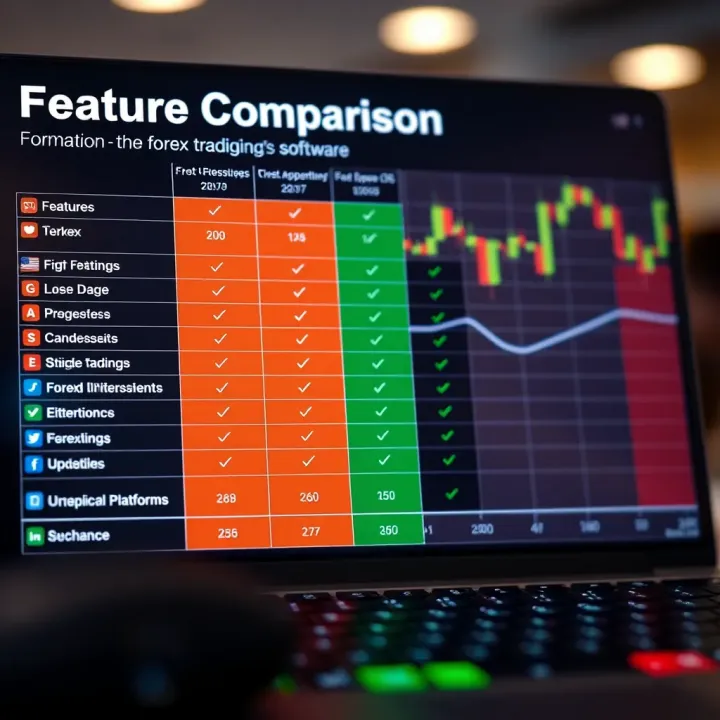
Having these tools built-in, rather than relying on external apps, smooths your workflow. MetaTrader 5 is a fine example here, letting traders layer multiple indicators on charts and customize them extensively without additional cost.
Fast execution can make the difference between profit and loss, especially in forex where prices shift rapidly. Even with free software, check if your chosen program executes orders promptly once you hit "buy" or "sell." Delays can result from poor server connections or bloated software.
To test execution speed, some traders place small market orders during different trading hours to see how quickly their trades process. Speed is particularly essential in scalping strategies, where seconds matter.
No point in choosing a high-quality free forex platform if it won’t run on your device. Most free forex software supports Windows, but if you’re on a Mac, smartphone, or Linux, you’ll want to double-check compatibility.
MetaTrader runs well on Windows and macOS (via software layers), while TradingView operates fully in browser, which is great if you’re not tied to a specific OS. Double-checking system requirements ahead of time saves a headache.
Trading on the go has become essential. The best free forex software offers seamless mobile and desktop versions, enabling you to check charts, open trades, or receive alerts anywhere.
South African traders often face spotty internet, so consider how well the mobile apps handle low bandwidth and whether they save offline data for review. Platforms like MetaTrader have full-featured mobile apps that sync with desktop accounts, keeping your trades consistent across devices.
When selecting free forex software, balancing ease of use, feature set, and system compatibility will make your trading experience smoother and more effective. Don't just pick the first free option—picking wisely can turn zero-cost software into a powerful ally in your trading journey.
Picking the right free forex software can feel like finding a needle in a haystack because there's a bunch out there, each with its quirks and perks. But focusing on popular, tried-and-true platforms can save you a ton of headache and give you reliable tools without emptying your wallet. These well-known options have the muscle to handle most traders' needs, whether you're cutting your teeth or have some skin in the game. Plus, their popularity means loads of tutorials, forums, and communities ready to lend a hand when you hit a snag.
MetaTrader 4 and 5: MetaTrader 4 (MT4) remains one of the most widely adopted forex platforms worldwide, especially on the free front. It’s user-friendly and supports expert advisors (EAs) for automated trading, which means you can test and deploy custom trading bots if coding's your thing. MetaTrader 5 (MT5) is the newer sibling, handling more asset classes and offering a better economic calendar feature right on the platform. For everyday trading, MT4’s simplicity often wins out, while MT5 appeals more to traders needing a broader market scope. Both offer robust charting with a solid catalog of technical indicators, making them handy for South African traders looking for no-cost yet effective tools.
cTrader: cTrader is a sleek alternative geared towards traders who want a modern interface with advanced order types and excellent charting features built-in. It shines with direct market access (DMA), meaning you get transparency in price and speed that can appeal if you’re into scalping or tight spreads. What’s neat is cTrader’s straightforward setup of automated strategies called cBots, plus customization that lets you tinker with your workspace to match your style. For South African traders factoring in execution speed and professional-level tools on a free package, cTrader is a compelling pick.
TradingView: More than just a trading platform, TradingView is the community hub where charting and social trading mix. What makes it stand out is its browser-based model, meaning no heavy downloads and a smooth experience across devices. Charting tools here are top-notch, with custom scripts and indicators to fiddle with, plus an active user base sharing ideas in real-time. Its free version suffices for many, though advanced features need a paid plan if you want them. It’s especially useful for traders who want to tap into crowdsourced insights or prefer analyzing charts without being tied down to a broker's platform.
Local broker integrations: One big plus of some forex software is how well they sync with local South African brokers like IG South Africa, or FXTM’s regional arm. This integration matters because it smooths out deposit and withdrawal processes, local regulatory compliance, and even spreads tailored to SA market conditions. For instance, MetaTrader versions linked with an SA broker can load local currency pairs or adjust fees in line with the local trading environment. This localized support cuts down on surprises and makes your trading feel less like fumbling in the dark.
Regional support features: Beyond broker links, some software packages boast customer support tailored for South African traders. This means staff familiar with local trading hours, tax implications, and the regulatory framework. Also, features like alerts in South African Standard Time or access to South African economic news can be built in. Having these features helps keep traders in the loop and lets them react faster to local market moves, which is a big deal in a fast-moving space like forex.
Choosing free forex trading software isn't just about grabbing what's popular; it's about finding tools that fit your everyday needs and the nuances of your trading scene. Popular platforms backed by local integrations and support can be your best bet to stay competitive and confident in the South African forex market.
By understanding these options, you can zero in on software that empowers smart, efficient trading without the hassle or cost.
Getting your free forex trading software up and running is more than just a technical step—it’s the foundation for everything else you’ll do in your trading journey. Proper installation and setup ensure that you’re working with the right data and tools from the start, allowing you to analyse markets effectively and place your trades with confidence. Even small missteps here can lead to delays, incorrect signals, or lost opportunities, which no trader wants.
One rule of thumb for any trader: always get your forex software from official websites or trusted providers. This helps you avoid dodgy versions that might have malware or be outdated. For example, if you’re looking at MetaTrader 4 or TradingView, their respective official pages should be your go-to spots. Downloading from third-party sites could also mean missing out on vital updates or support.
Before hitting that download button, check for the system requirements listed on the site to make sure your device can handle the software. This little step can save you heaps of headaches later.
Once the software is installed, the initial setup is crucial for aligning the platform with your trading style and goals. This phase usually involves entering your account details, choosing your preferred currency pairs, and setting up the basic interface preferences.
For example, in MetaTrader 5, you’ll be prompted to log in using the account information your broker provided. Take your time here to ensure every piece of information is correct—incorrect details can block your access or lead to syncing problems.
Also, consider the time zone setting. It may seem minor, but if your charts and news updates run in a different timezone than where you trade, your decisions might be out of sync with the market.
One of the most powerful aspects of free forex software is its charting features. Customising charts to display the information you need can dramatically improve your trading efficiency. Start by selecting the right chart types—candlestick charts are popular among forex traders because they clearly show price movements and trends.
Adjust the time frames to fit your strategy—for example, day traders often use 5-minute or 15-minute charts, while swing traders might prefer hourly or daily charts. Add technical indicators that you find useful, such as moving averages or RSI (Relative Strength Index), but don’t overcrowd your chart. Too many indicators create noise, making it hard to spot clear signals.
In TradingView, for example, you can save your chart layout as a template, so every time you open the software, your preferred setup is ready to go.
Staying on top of market movements is vital. Custom alerts can save you from constantly monitoring the screen and help you catch crucial price shifts or economic events. Most free forex platforms allow you to create price alerts, which notify you when a currency pair hits a specific level.
Set alerts for your key support and resistance levels, or for breakouts if you’re watching for momentum plays. Some software like cTrader offers mobile notifications, which is handy if you’re away from your desk but don’t want to miss an opportunity.
Pro tip: Try to keep your alerts meaningful and limited in number to avoid getting overwhelmed. Too many notifications can be distracting rather than helpful.
In summary, the installation and setup are not just routine tasks but critical steps that define how smoothly your trading experience will flow. Taking time to do them thoroughly, especially with free forex software, can make the difference between a frustrating start and a confident trading journey.
Using free forex software sounds like a no-brainer for traders looking to keep costs low, but it’s important to be aware of the risks involved. Managing these risks ensures you don’t get blindsided by unexpected issues that could lead to losses or faulty analysis. Being cautious about the software’s limitations and security safeguards helps maintain a smooth trading experience.
One of the biggest drawbacks of many free forex platforms is delayed data. Instead of getting price updates in real time, you might see information lagging behind by a few seconds or even minutes. While this might not be a dealbreaker for casual trading or learning, it’s critical for those who rely on fast decision-making, such as scalpers or day traders. For instance, if a trader misses a sudden price drop because their platform’s data updates every 30 seconds instead of instantly, they might end up with losses that could have been avoided.
To manage this, check whether your free software offers near real-time data or whether a small upgrade can improve the speed. Also, combine free software with reputable broker feeds whenever possible. Knowing this limitation upfront lets you adjust your trading style accordingly.
Free forex software often comes with a stripped-down set of features compared to paid versions. Key tools like advanced charting, automated trading strategies, or in-depth technical indicators might be locked behind a paywall. This can hinder your ability to perform thorough market analysis or automate trades, limiting your edge in an already competitive environment.
For practical benefit, list out your must-have features before choosing any free platform. For example, if you want to run Expert Advisors (EAs) on MetaTrader 4 but the free version restricts this, you’ll need to consider either investing in the full product or seeking alternatives like cTrader’s demo options that offer more flexibility.
One overlooked risk comes from downloading free forex software from unofficial or shady sources. This exposes traders to malware, spyware, or altered programs designed to steal sensitive info. Always get your software from the official websites like MetaQuotes for MetaTrader or TradingView’s verified platforms.
Verifying the source means double-checking URLs, reading user reviews, and avoiding torrents or unknown distributors. This simple step can save you from headaches like compromised accounts or identity theft.
Even the safest software isn’t a shield against poor personal security practices. When using free forex platforms, ensuring your login credentials and account info stay safe is key. Use strong, unique passwords and update them regularly. If the platform supports two-factor authentication (2FA), enable it for an extra layer of protection.
Furthermore, be careful about sharing account details or using public Wi-Fi when trading. For example, accessing your trading account over unsecured wireless could expose you to hackers snooping on your credentials.
Staying alert to security risks is as important as mastering market trends. Protect your tools and details to avoid unwelcome surprises in your trading journey.
In summary, understanding and managing these risks related to free forex trading software — from data delays and limited features to security pitfalls — keeps you ahead of the curve and safeguards your investments. When picking software, think beyond just the price tag and look at the practical implications for your trading strategy and safety.
Support and community resources are often overlooked when choosing free forex trading software, but they're really the backbone for long-term success. Having a solid support system helps traders navigate technical hiccups and learn smarter strategies, especially when working with tools that are free and might have limited official assistance. When you're starting out or even when things aren't going smoothly, quick access to knowledgeable help can save time and prevent costly mistakes.
Many popular free forex platforms like MetaTrader and TradingView provide official help desks which act as your first line of defense. These support teams help with installation issues, account linking, or clarifying feature functionality. The key here is to check if the software offers direct email support, live chat, or even phone assistance. For example, MetaTrader has a comprehensive knowledge base plus active customer service via brokers, which is crucial because it ensures you’re not stuck banging your head against the wall trying to figure out why your indicators aren’t refreshing.
Official support can only go so far, and this is where online forums and community groups shine. Platforms like ForexFactory or the TradingView forums offer spaces where traders worldwide swap ideas, troubleshoot problems, and share experiences. These groups are helpful because users often post real-time solutions about quirks or bugs you might encounter. Plus, engaging with a community exposes you to diverse trading styles and software hacks you wouldn’t otherwise learn. For South African traders, joining regional Facebook groups or Telegram channels can also bring local knowledge into play, like dealing with South African brokers or understanding market conditions during local holidays.
Community interaction goes beyond just technical help; it’s a hotspot for exchanging trading strategies. For example, traders might discuss how they customise MetaTrader 4 with expert advisors or which indicators work best for volatile currency pairs. Sharing strategies in community settings offers practical insights that books or tutorials might gloss over. Implementing shared tips from experienced users can sharpen your approach and sometimes spot profitable opportunities that aren't immediately obvious.
Every software has its quirks, and free forex platforms are no exception. Community forums often become a quick troubleshooting hub. Say, your charts freeze or your automated trading script behaves oddly. Chances are, someone else faced the same problem and found a fix or workaround, whether it’s clearing the cache, tweaking settings, or updating plugins. These real-world problem-solving sessions can save you hours of frustration and keep your trading running smoothly.
Having a strong network of support and an active community can make the difference between struggling alone or tapping into collective wisdom and quick fixes—making your free forex trading experience much smoother.
By investing a little time to explore these support avenues and joining relevant online communities, especially those oriented toward South African traders, you ensure you’re not navigating free software in the dark. That support cushion makes learning faster and trading more confident.
Making the most out of free forex trading software isn't just about picking the right platform—it's also about how you use it day to day. Traders who adapt to software updates, protect their setups, and cleverly combine tools often see better results in their trading. Since free tools come with some limitations, these tips can help smoothen your experience and avoid missing out on important opportunities.
Keeping software up to date is often overlooked but it's fundamental. Developers continuously patch bugs, enhance features, or even improve speed, which could affect your trading performance. Imagine using an outdated MetaTrader 4 version when your broker rolls out new leverage options — you might miss these handy tools or even face stability issues. Always check for the latest updates from official sources and install them promptly.
Backing up configurations is just good practice. You've likely customised your chart layouts, indicators, or alert settings to fit your personal strategy. A sudden crash or reinstall could wipe these out. Save your profiles regularly — most platforms like MetaTrader and cTrader let you export settings. Store them somewhere safe, like a cloud folder or USB drive so when the unexpected happens, you’re back to business quickly.
Using multiple platforms can give you a fresh perspective. For example, combining TradingView’s advanced charting with MetaTrader 5’s execution capabilities means you can analyse trends with sophisticated tools and execute trades seamlessly. Each platform has strengths and weaknesses; spreading your workflow can fill these gaps, avoiding overreliance on a single app with potential blind spots.
Integrating external indicators let you tailor your strategies beyond the standard toolbox. Many traders in South Africa use custom-built indicators designed for local market nuances, such as those that factor in rand volatility or commodity price swings. You can add these add-ons to platforms like MetaTrader without spending a dime, which helps sharpen entry and exit points. Just ensure the indicator source is reliable — a dodgy indicator might skew your decisions.
Efficient use of free forex trading software isn't just about what's available, but how you update, protect, and integrate your tools to keep pace with market demands and your own evolving strategy.
By staying updated, backing up your work, and combining different resources, South African traders can squeeze the most out of their free forex software, making their trading journey smoother and more productive.
Explore top free forex trading software designed for South African traders 📈 Discover features, benefits & safe use tips to boost your trading without extra costs 💡
📈 Discover how forex trading training software helps sharpen your skills with simulations, real-time practice & key tips for smart platform choices.
📈 Discover practical tips on using free forex trading signals in South Africa. Learn benefits, risks, and quality checks to trade smarter and safer! 🇿🇦
Explore the best forex trading system software in South Africa 🇿🇦. Learn types, features, strategies & tips to trade currency effectively with confidence 💹.
Based on 9 reviews